
Scan to BIM solves a problem every renovation contractor knows. The existing drawings say one thing, the building says another, and nobody finds out until the crew opens the ceiling. By then, the budget is already in trouble.
Old buildings rarely match their record drawings. Walls move, services get rerouted, and decades of changes never make it onto paper. This post explains what scan to BIM is, why renovation jobs go wrong without it, and how to get a model you can actually trust.
Why renovation jobs go over budget early
On new builds, the model starts from a clean design. On renovations, however, it starts from whatever information exists about the building. That is usually where the trouble begins.
- Record drawings are out of date. They show the building as designed, not as built, and rarely include later changes.
- Hidden services. Old ducts, pipes and conduit sit above ceilings that nobody has opened in years.
- Structure is not where you think. Beams, slabs and openings sit a few inches off from the drawings, which is enough to stop a new duct run.
- Floors and ceilings are not level. Older slabs sag and vary, so heights taken from drawings do not hold.
As a result, the new design clashes with things nobody knew were there. Each surprise means a change order, a redesign or a crew standing around waiting for answers.
What scan to BIM actually is
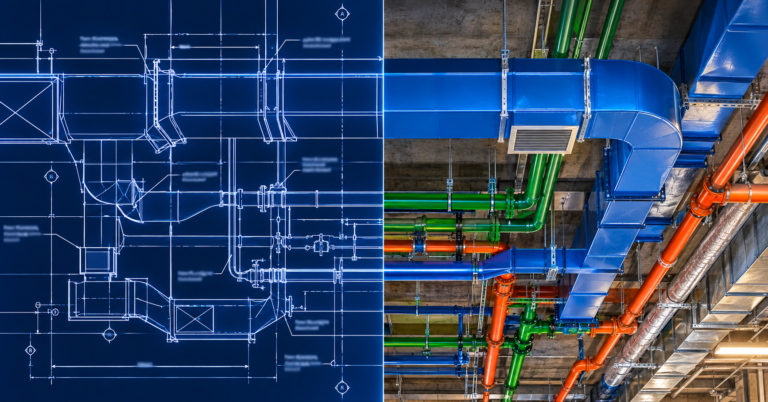
Scan to BIM turns a laser scan of an existing building into an accurate Revit model. The process has two parts:
- The scan. A surveyor captures the space with a 3D laser scanner. The result is a point cloud, which is millions of measured points that show exactly where every surface sits.
- The model. A BIM team then traces the point cloud in Revit to build walls, floors, structure and existing services as real model elements.
Point clouds are usually processed in a tool such as Autodesk ReCap before they go into Revit. The finished model then becomes the base for new design, coordination and shop drawings.
What a scan to BIM model should include
Not every project needs every element modelled. Still, you should agree on the scope before work starts. A typical scope covers:
| Element | Usually included? | Why it matters |
|---|---|---|
| Walls, floors, ceilings | Yes | Sets the true space you have to work in |
| Structure (beams, columns, slabs) | Yes | Controls where new services can run |
| Openings and penetrations | Yes | Shows where you can pass through |
| Existing ductwork and piping | Often | Needed if you tie in or work around it |
| Existing equipment | Often | Needed for replacements and clearances |
| Small conduit and fittings | Sometimes | Adds cost, so only model where it affects new work |
The level of detail matters here too. For example, a model for early design may only need main structure and walls. On the other hand, a model for MEP coordination needs existing services in enough detail to clash against. Our guide to what LOD 400 includes explains how detail levels work.
Common scan to BIM mistakes
Scan to BIM is only as good as the scan and the scope. These are the problems we see most often:
- Scanning only open areas, so ceiling voids and risers stay unknown.
- Modelling everything in full detail, which drives up cost for little benefit.
- Not agreeing on tolerance, so nobody knows how accurate the model is meant to be.
- Using the scan model once, then never updating it as demolition reveals more.
- Skipping clash checks between the new design and existing conditions.
That last one is the most expensive. Once the existing model is in place, run the new design against it the same way you would on a new build. Our post on why “clash-free” models still fail on site explains how to set those tests up properly.
How to scope a scan to BIM job
Before you ask for a price, decide a few things first. This keeps the quote accurate and stops you paying for detail you do not need:
- First, mark the floors, rooms or zones you need modelled.
- Next, list which elements matter, such as structure only or structure plus existing MEP.
- Then agree on the accuracy you need for the job.
- Also confirm who handles the scanning and in what file format the point cloud will arrive.
- Finally, set the deliverables, such as a Revit model, 2D existing-conditions drawings or both.
Our guide on why your BIM quote is too high covers the same thinking in more detail. In short, the clearer your scope, the better your price.
When to bring in scan to BIM
The best time is before design starts. Once the team designs against a wrong base, every trade inherits the error. Bringing in help late is the same story we describe in why calling for BIM help too late costs more.
Scan to BIM is especially worth it on hospital and healthcare upgrades, older commercial buildings, plant room replacements and any job where you must tie new services into old ones.
Scan to BIM from BIMBAM Designs
BIMBAM Designs turns client-supplied point cloud data into accurate Revit models of existing conditions, then carries that model through coordination and MEP shop drawings. Your surveyor scans the building, and we build the model your design and trade teams can work from.
Learn more about our BIM modelling services, see our recent BIM projects, or send us your point cloud for a scan to BIM quote.